Powerful Invoice & Receipt Features
Easily create and customize invoices and receipts with ready templates, drag-and-drop editing, live previews, and instant updates.


You could be live with your website today.

Get more customers. Make more sales.
Made in India Platform
Built and supported entirely in IndiaCOD & Partial Payments
Flexible checkout options for higher conversionsLocal Language Support
Dedicated support in regional languages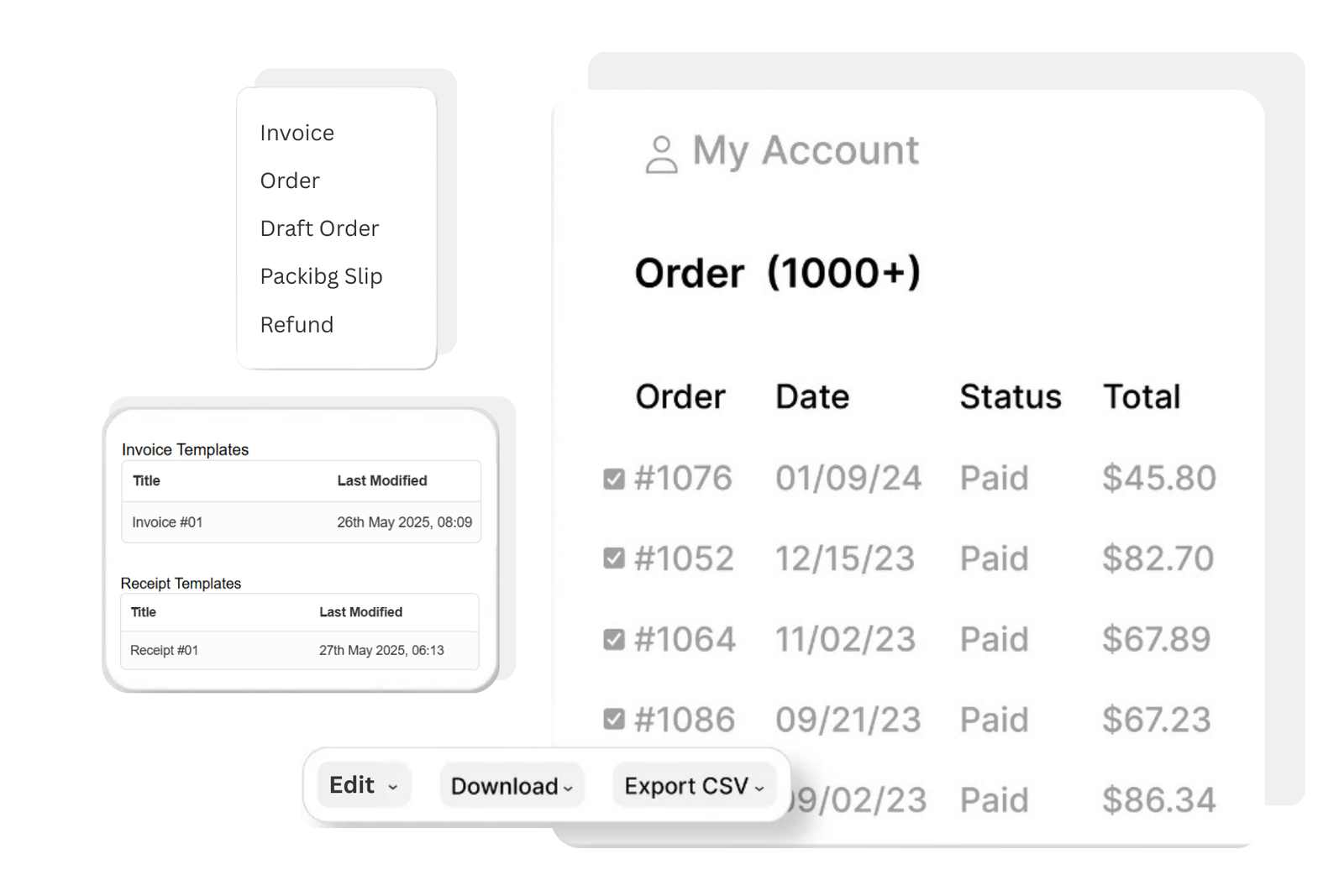
Easily create and customize invoices and receipts with ready templates, drag-and-drop editing, live previews, and instant updates.
Pick from a selection of templates or design your own, you have total control over your invoice and receipt layout.

Quick and easy editing using an intuitive, drag-and-drop interface, no design skills needed!
Make sure everything looks just right and preview your custom invoices and receipts before saving and sending.
You see the result at once, no need to further open this template and preview it.
Yes, you can make sure your brand is reflected on the invoice or receipt form by simply uploading and placing your company logo.
Sure! You may rearrange sections, modify text areas, and customize the layout to suit your needs.
Indeed, any modifications you make to your templates are immediately stored, so you don't have to be concerned about losing your work.
Yes, you can preview the templates before saving to make sure everything looks perfect.
Indeed, the program gives you the ability to alter the templates for both invoices and receipts, providing you with versatility for various document kinds.
No, the tool is designed to be user-friendly with an intuitive drag-and-drop editor, so no technical skills are required.
JoonWeb offers everything you need out of the box, but for even more power, explore our App Store — packed with tools to help you grow and customize your online business.